
LikeStyle Network & Camera Systems
Coverage you can use. Visibility you can understand.
Get help with Wi-Fi or cameras that are not working the way you need. We discuss the setup with you, including who controls the accounts and how the system will be maintained.
A system should make sense after installation day.
Good coverage and useful camera views matter, but so do account ownership, update responsibility, retention choices, and documentation.
Coverage
Place equipment around the actual rooms, walls, work areas, entrances, and outdoor conditions.
Control
Keep the owner in charge of accounts, credentials, updates, storage, and access decisions.
Clarity
Document the equipment, key settings, locations, and the next maintenance step.
Where LikeStyle Can Help
Plan the system around the property, not the box.
The exact scope depends on the building, existing cabling, equipment, mounting access, local requirements, and whether another licensed specialist is needed.
Wi-Fi & network review
Coverage problems, access-point placement, router and switch cleanup, device organization, guest access, and a clearer equipment plan.
Camera layout & setup
Useful viewpoints, mounting context, night conditions, notifications, privacy zones, user access, and storage or retention choices.
Cleanup & handoff
Account ownership, updates, labels, documentation, backup or export considerations, and a walkthrough that does not leave the owner guessing.
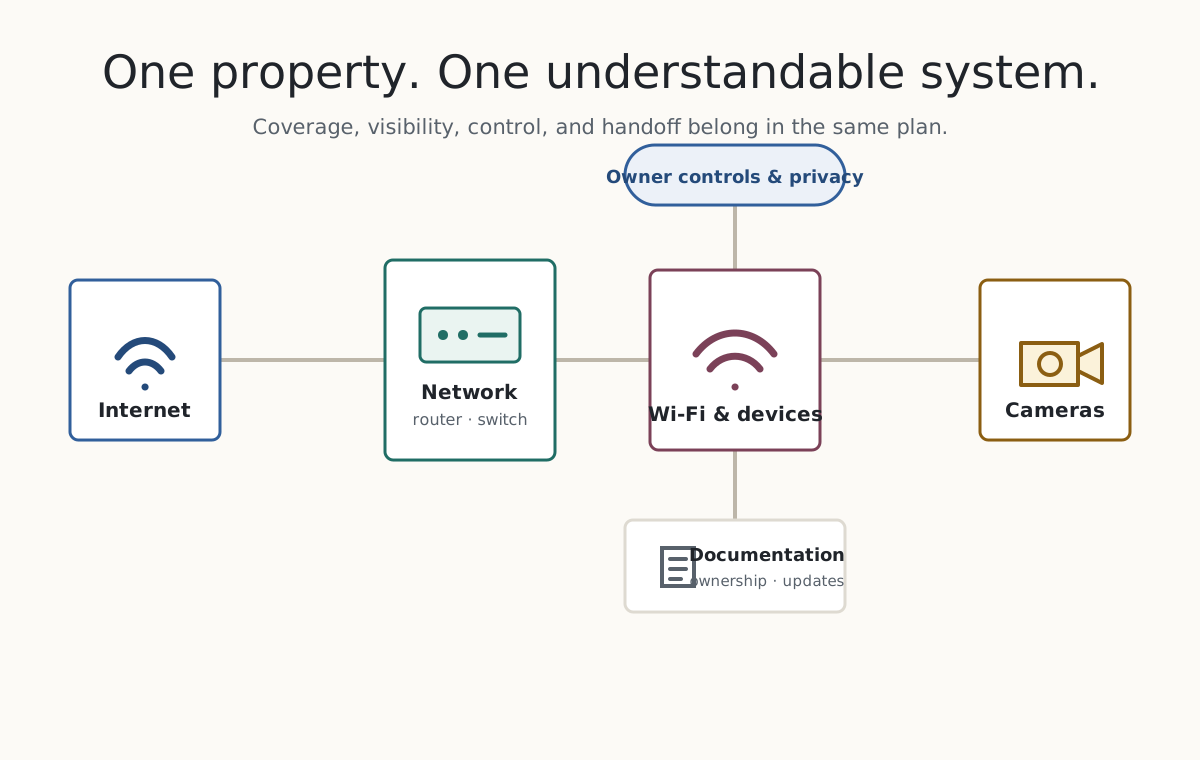
Property → network → devices and cameras → owner controls → handoff
One Connected Plan
Treat the network, cameras, access, and handoff as one system.
Coverage and camera placement are only part of the job. LikeStyle also reviews who owns the accounts, how devices are segmented, what leaves the property, who receives alerts, and how the system can be maintained.
- Help planning or improving Wi-Fi for a home or small business.
- UniFi and similar network or camera ecosystems can be discussed when they fit the project.
- Privacy zones, user permissions, notifications, retention, updates, and ownership are reviewed explicitly.
- Any installation work must suit the property and applicable local requirements.
Start with the property and the problem.
A useful plan comes before equipment recommendations or installation promises.
Describe the environment
Share the property type, problem areas, users, internet service, current equipment, and camera goals.Map coverage and views
Review walls, distances, mounting positions, light, power, cabling paths, and privacy-sensitive areas.Confirm system boundaries
Define equipment, ownership, access, storage, updates, installation scope, and specialist needs.Configure and hand off
Check how the system works in practice. Leave the owner with documentation they can use to maintain it.
Service Boundaries
What to expect from the service.
Camera and network work should not be sold with fear or guarantees the equipment cannot keep.
Network
LikeStyle can help plan and configure the network, with documentation for the owner. Coverage remains subject to the property and the limits of the internet service.
Cameras
Camera work can include setup and a review of privacy settings. We explain access and storage choices with the owner. This service does not provide monitoring or guarantee crime prevention.
Physical installation
The project can include an appropriate equipment and installation plan. Concealed or high-voltage wiring, alarm monitoring, and licensed or permitted work stay outside an unqualified scope.
Tell us what needs to work better.
Tell us where the system is and what you want to work better. A short note is enough to begin. Do not include passwords, Wi-Fi keys, alarm details, credentials, access codes, floor plans, or recordings.

likestyle.com/services/network-camera-systems/
Keep or Share the Link
Put the network and camera page on your phone.
Save the phone card to Photos, or share the page URL when someone needs the service overview and the prepared project email.