

Foundry for Medical Practices
Help people understand your practice before they contact you.
Your website can answer the questions that make a first appointment feel unfamiliar. LikeStyle works with your approved content to build a site that reflects the way your practice cares for people.
Care information and contact guidance are reviewed by your practice.
Medical Site Architecture
Give each question a useful answer.
Visitors may begin with a concern rather than a treatment name. We help them find relevant information and explain how to ask your practice about it.
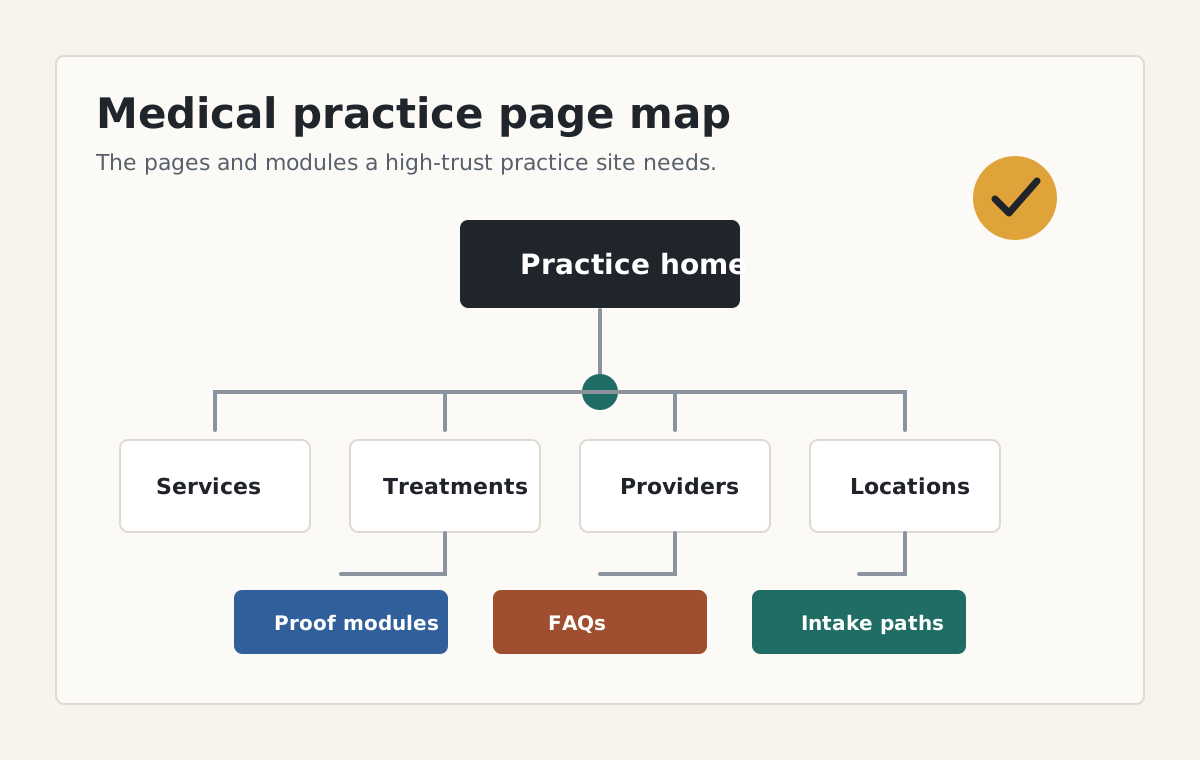
- Explain the services your practice provides.
- Introduce the people behind the care.
- Keep location details and contact information easy to find.
- Agree how your team reviews future changes.
Working with LikeStyle
Build around the questions patients bring.
Clear explanations
Use the language your team would use to explain the service in a first conversation.
Practice-approved information
Your practice supplies clinical information and approves claims before publication.
Contact that makes sense
Explain what to include in a general inquiry and how the practice follows up.
Room for changes
Plan how to keep information current as the practice develops.
Start with the practice you want visitors to understand.
We agree the scope before beginning a project.
- 1
Share the starting point
Tell us about your practice and send your current website if you have one. - 2
Discuss the work
We will review what the site needs and explain how content approval would work.
Specific Practice Types
Find your specialty.
Explore the questions a website can help answer for your kind of practice.
Aesthetics
People considering aesthetic care need an explanation they can follow. LikeStyle helps your practice describe its treatments and make it easy to ask a useful first question.
Dermatology
Someone looking for help with a skin condition may not know the name of the service they need. LikeStyle helps dermatology practices organize their websites around those first questions.
Plastic Surgery
Choosing to ask about surgery can take time. LikeStyle helps your practice explain procedures carefully and give prospective patients a clear way to arrange a consultation.
Concierge Medicine
People need to understand how your practice works before deciding whether to ask about membership. LikeStyle helps you explain the arrangement in straightforward language.
Cosmetic Dentistry
People may know what they would like to change without knowing which treatment to ask about. LikeStyle helps your practice explain the options and invite a conversation with the dental team.
Medical Spas
A long service menu can leave people unsure where to begin. LikeStyle helps your medical spa explain the care it offers and give interested visitors a clear way to ask about it.
Orthodontics
Families and adults bring different questions about orthodontic care. LikeStyle helps your practice explain the treatment options and guide each visitor toward a first conversation.
What should your practice website make easier?
Tell us what patients need to understand before contacting your team. If you already have a website, a free review is a useful place to begin.